01 / 08
Checking this PC
0 / 8
 AMPLEby HimaCode
AMPLE 1.0.1 · Free for Windows 10 & 11
Apache, MariaDB, PHP 8.5 and Mailpit in one install, with a real control panel to run them.
What's inside
Every day with AMPLE
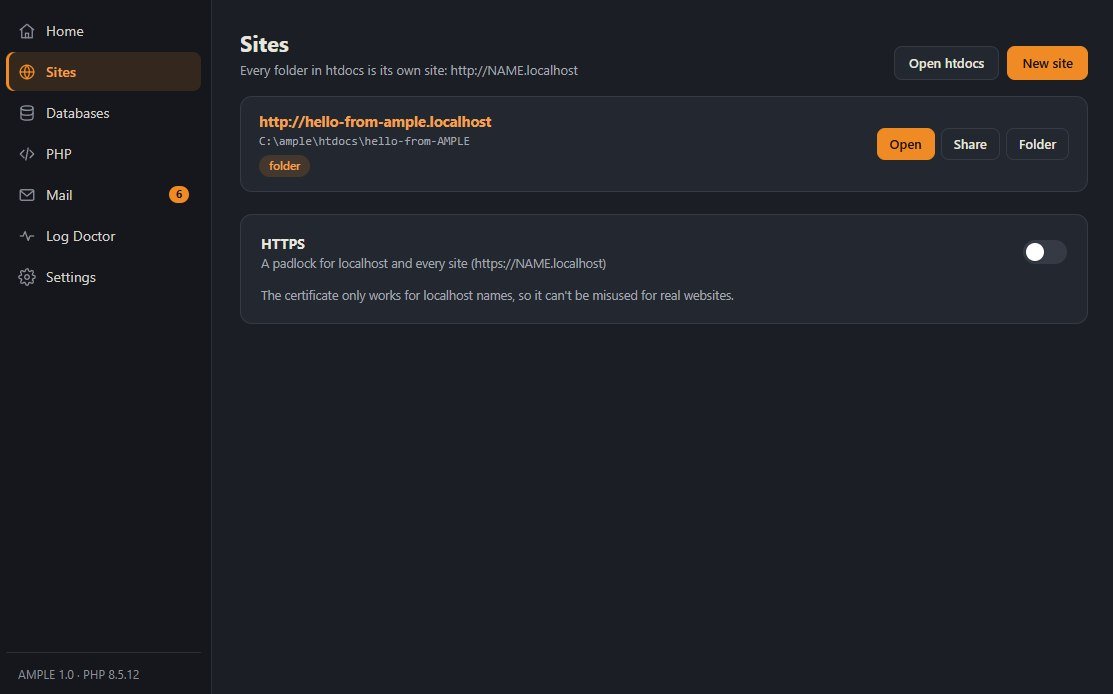
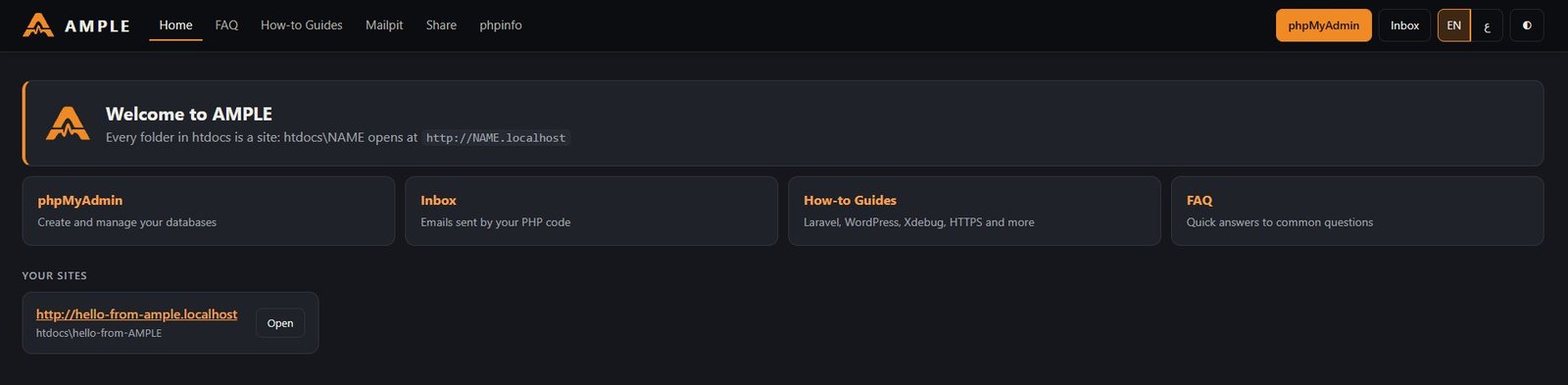
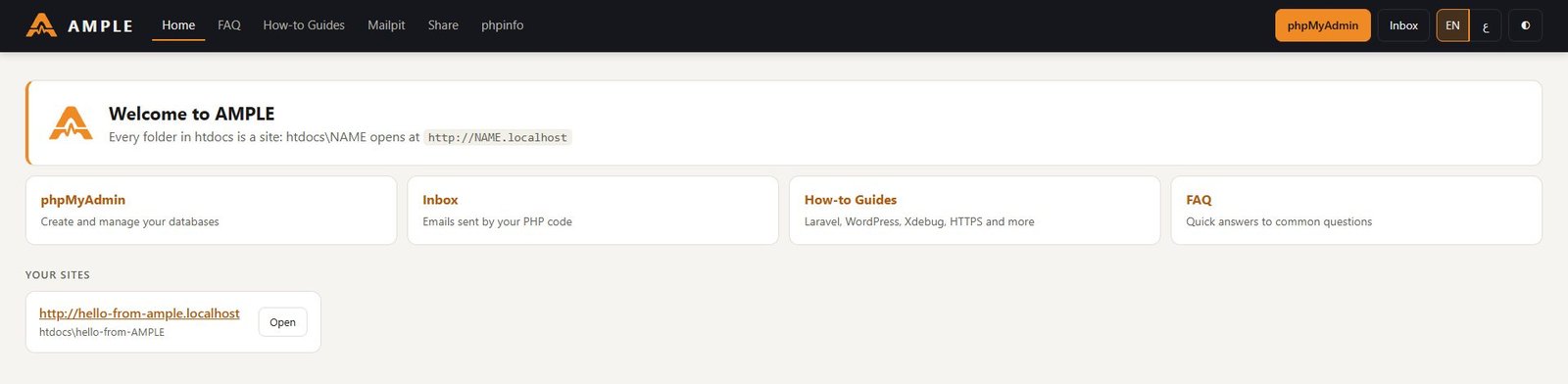
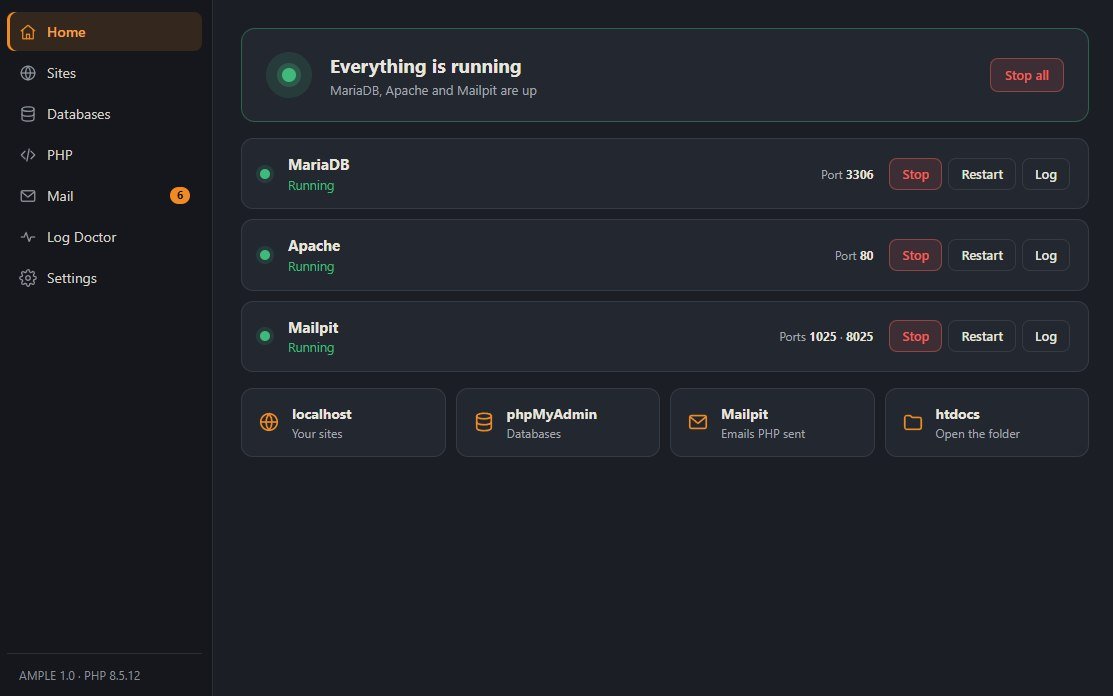
Every folder in htdocs opens at NAME.localhost straight away. Laravel apps are detected and served from public automatically.
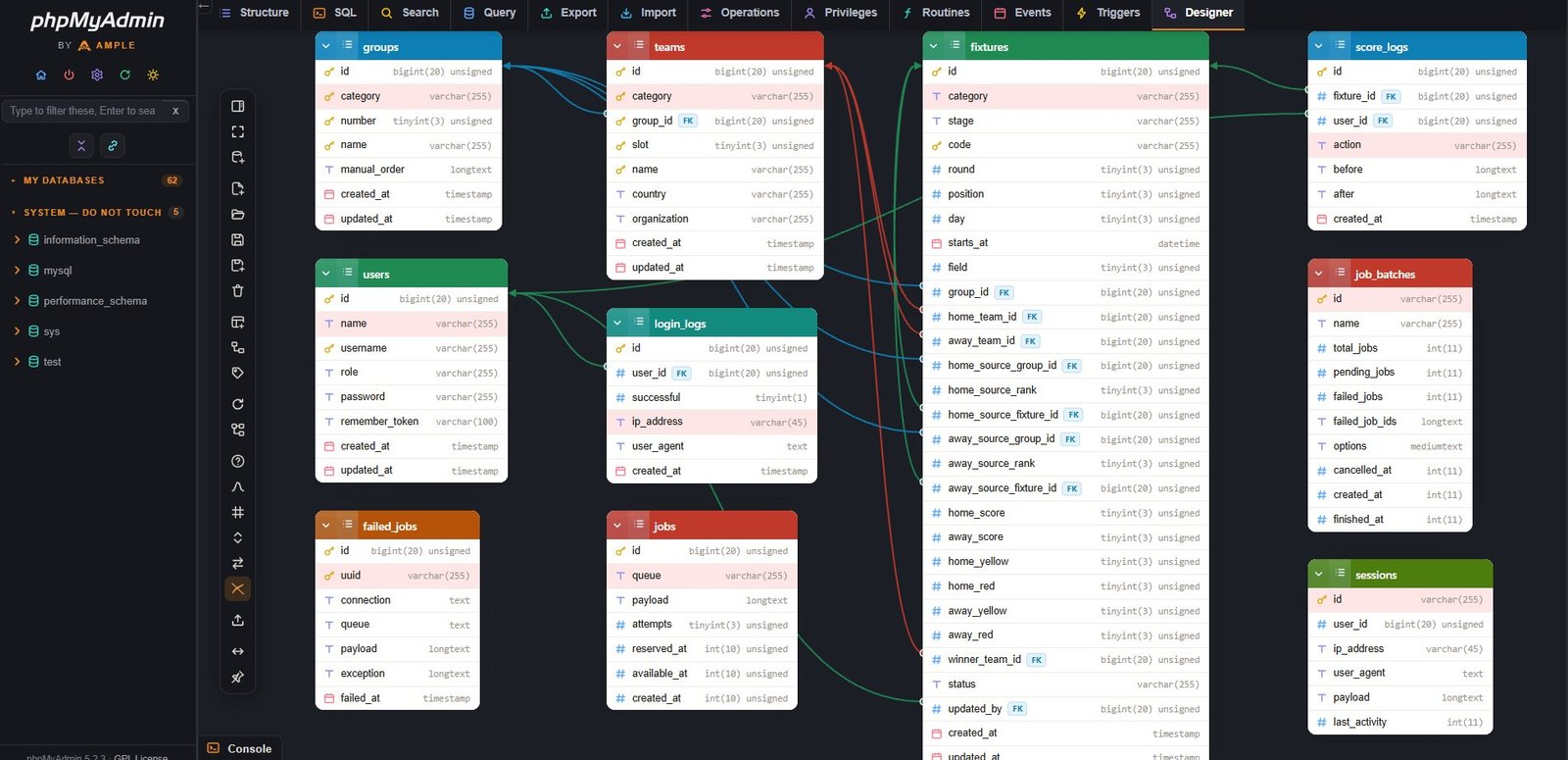
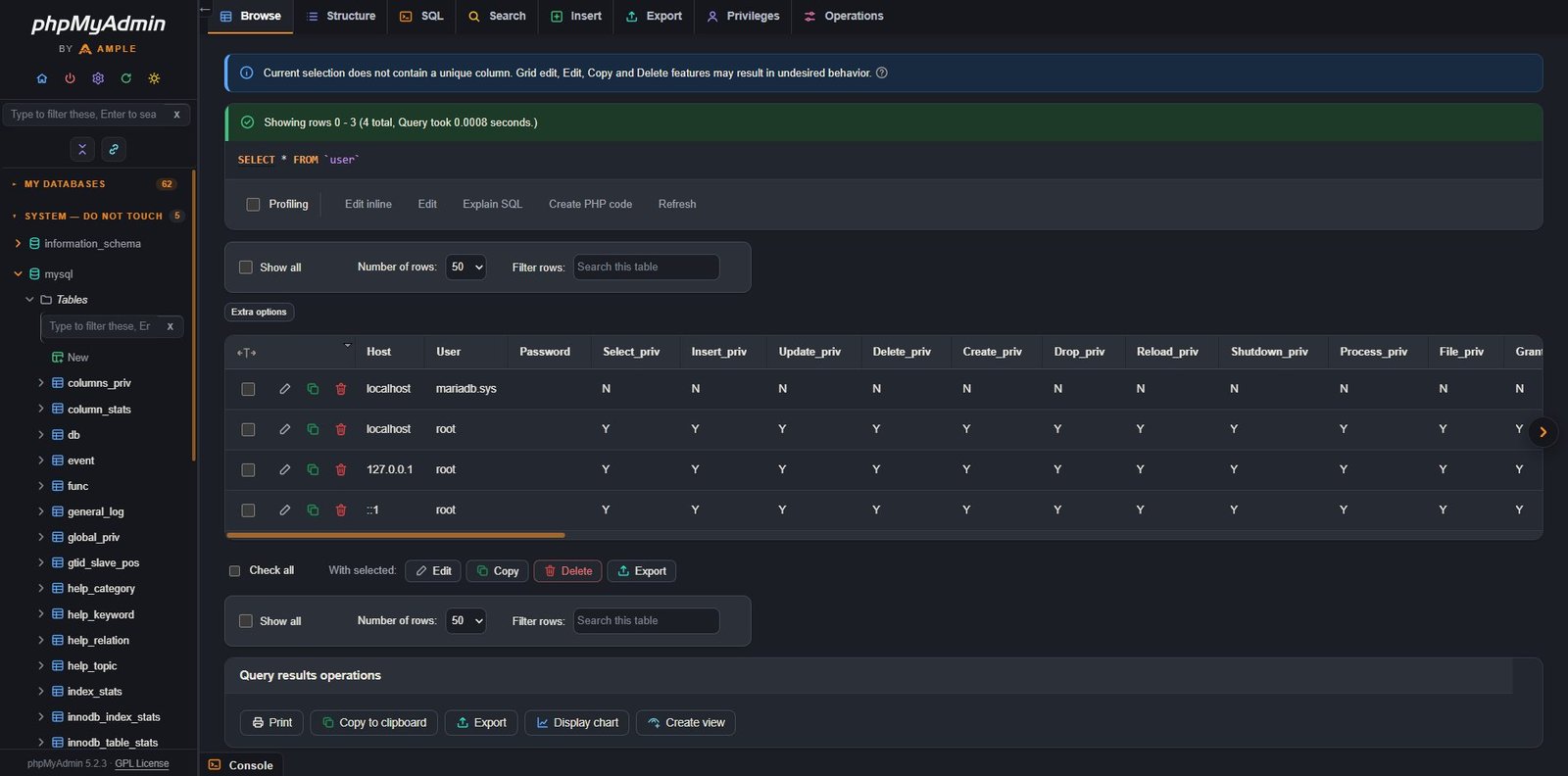
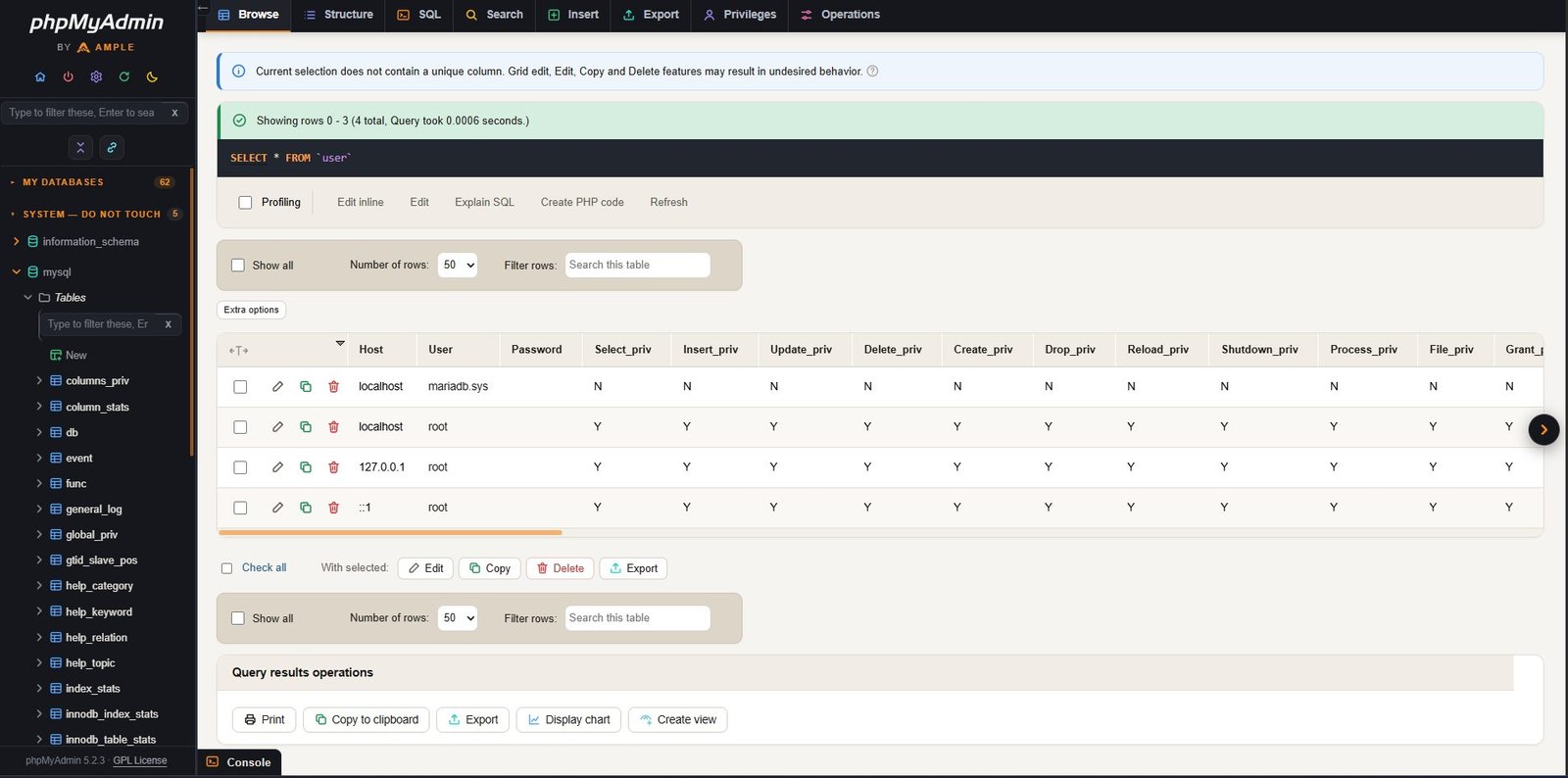
List, back up and import databases of any size with progress, and rescue them when MariaDB will not start.
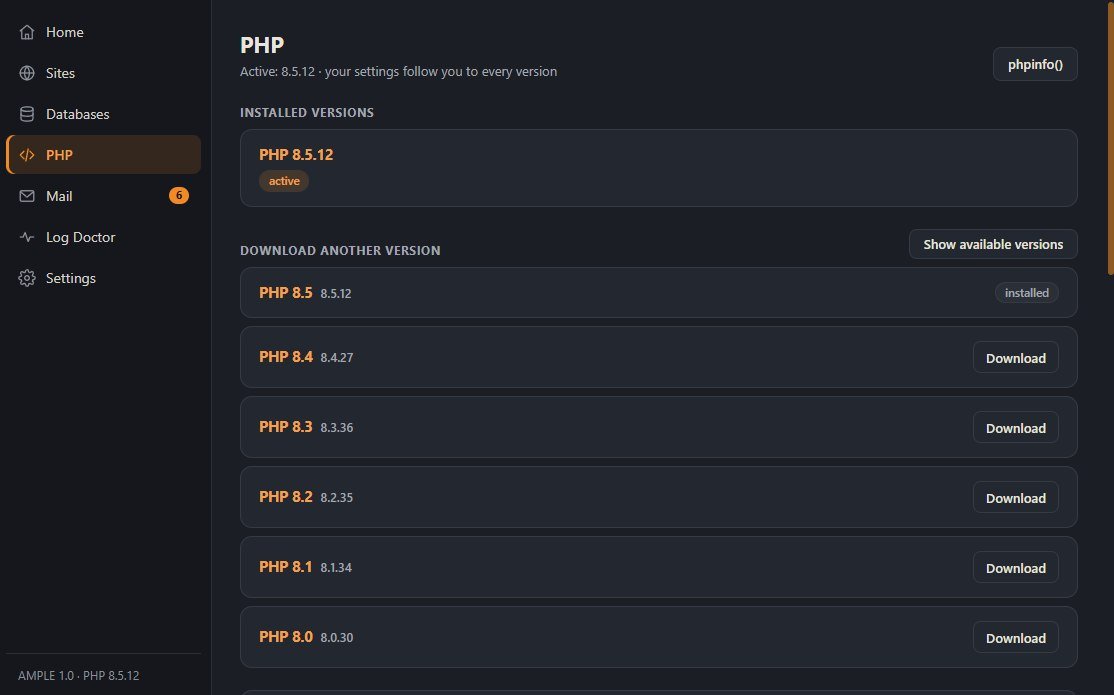
Download PHP 8.0 to 8.5 from inside the panel and switch between them. Your settings follow you to every version.
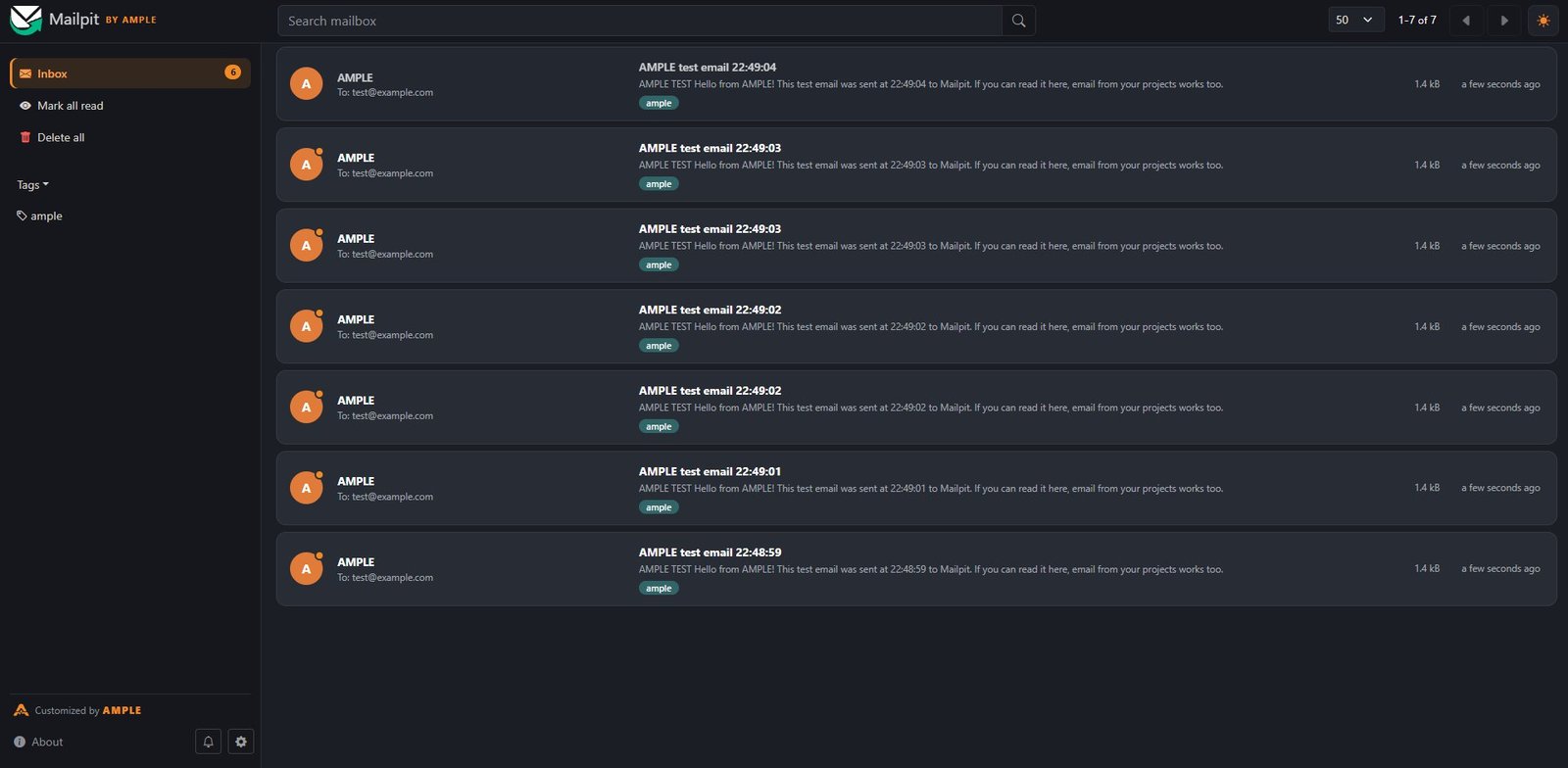
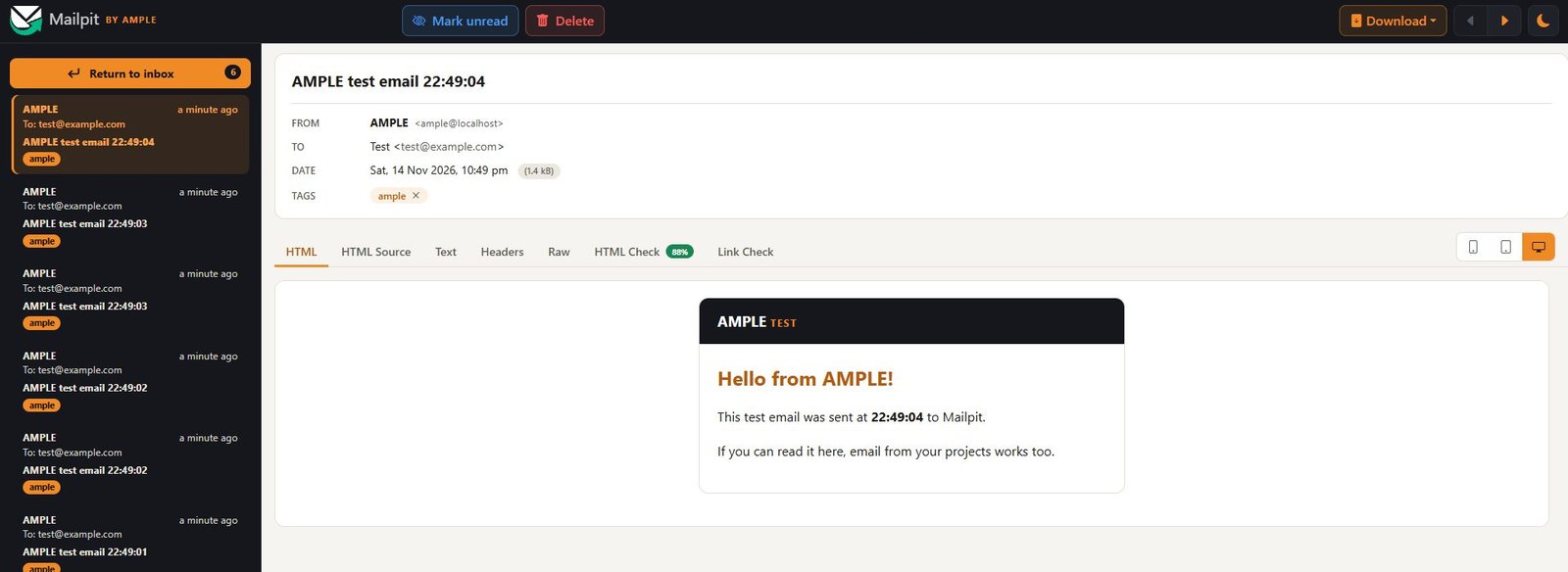
Sign-up emails, password resets, receipts: everything your project sends lands in Mailpit on your PC, never in a real inbox.
Send your local site to a client with a public link, straight from your PC. No ngrok, no setup.
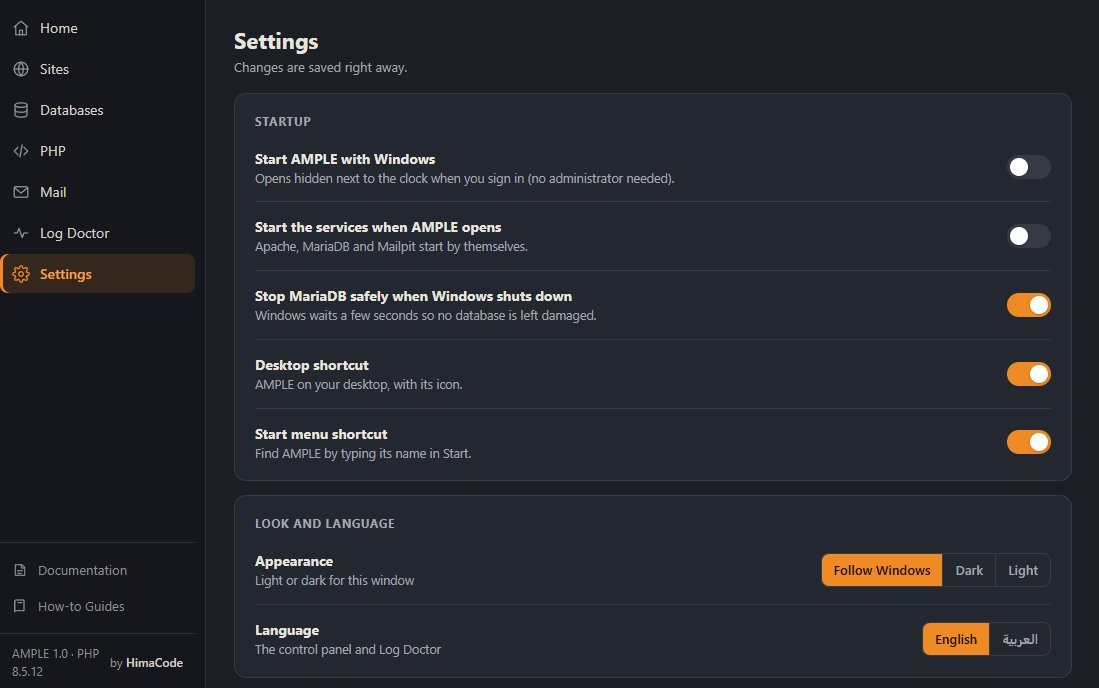
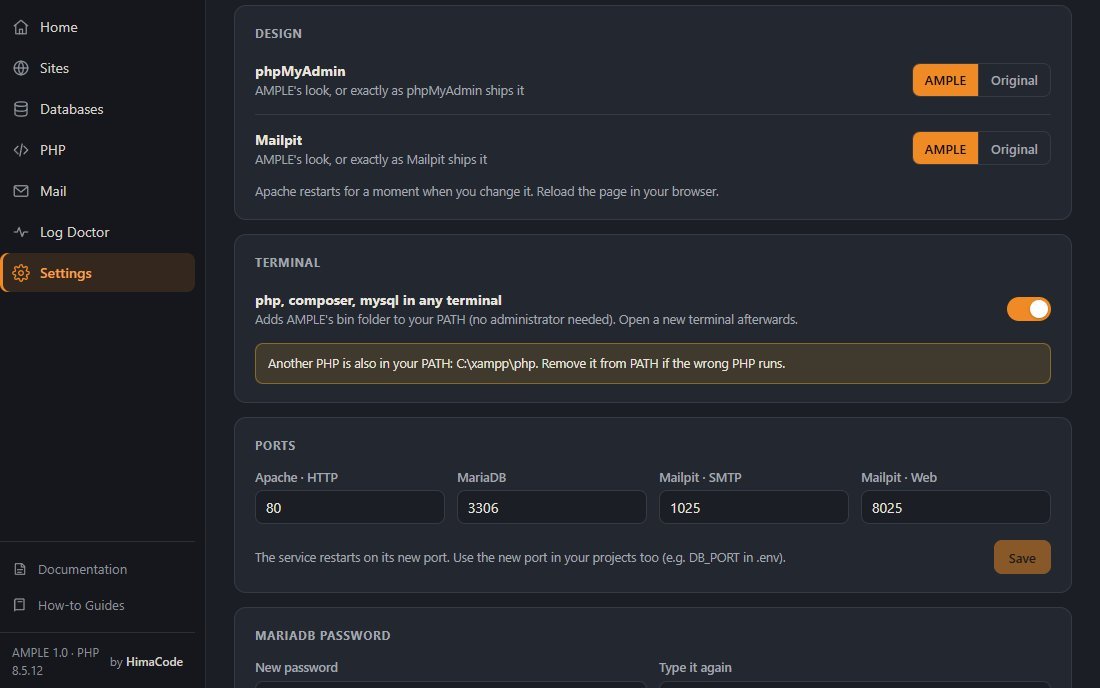
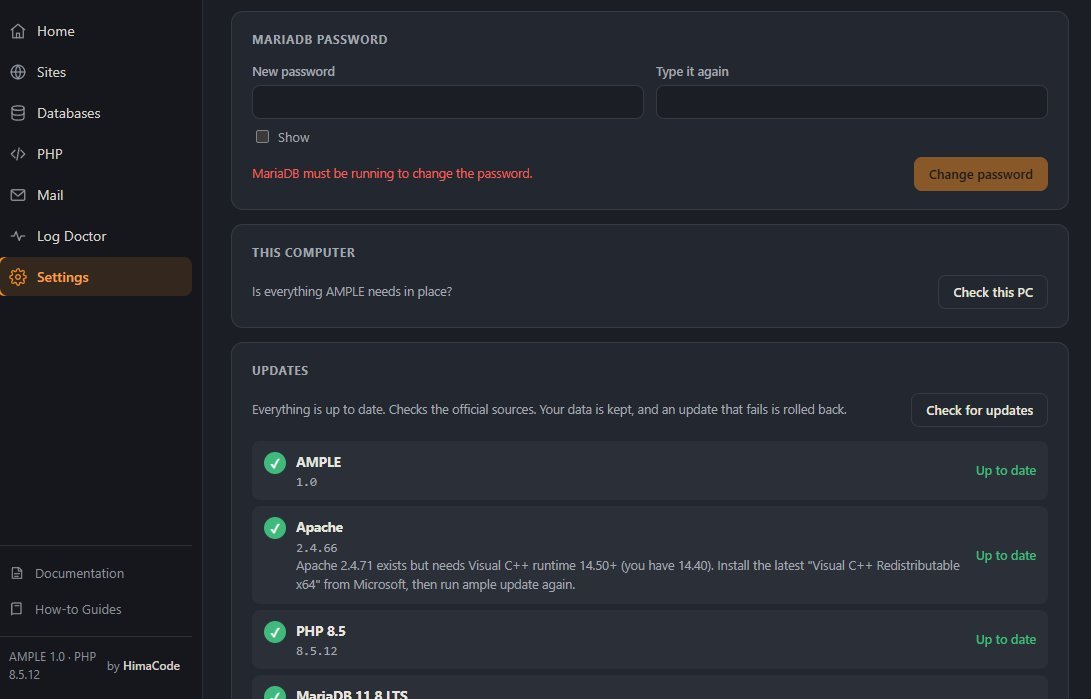
Light or dark, English or Arabic, AMPLE's look for phpMyAdmin and Mailpit or the original, and the ports each service uses.
XAMPP → AMPLE
We used XAMPP for years. These are the problems we hit again and again, and what AMPLE does instead.
Turn the PC off without stopping MySQL first, and next time the panel greets you in red. The fix is copying data folders by hand and hoping nothing is lost.
Error: MySQL shutdown unexpectedly.AMPLE stops MariaDB safely, takes backups in one click, and has a rescue mode for the day it will not start.
A port is busy, MySQL will not start, and the log tells you to uninstall the other program. Which one? The rest is searching forums.
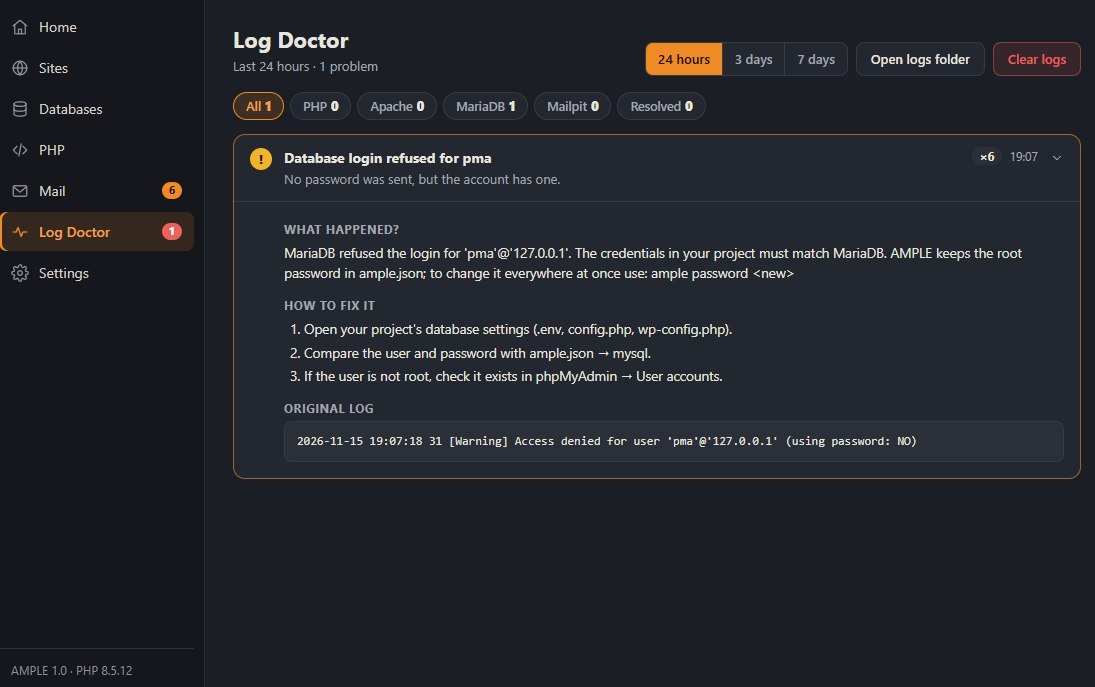
Problem detected! Port 3306 in use by "Unable to open process"!AMPLE reads its logs, recognises known problems and explains each one in English or Arabic, often with a one-click fix.
There is nothing to catch the emails your project sends. You set up a mail server, or send test emails to real inboxes.
Every email your code sends is caught on your PC and shown in Mailpit. Nothing reaches a real inbox by mistake.
To show a client your work, you install and set up ngrok or upload the site to a server first.
Press Share next to any site and send your client a public link, straight from your PC.
A proper address for each project means editing the hosts file and the virtual hosts config by hand, as administrator.
Create a folder in htdocs and it opens at NAME.localhost straight away. No hosts file, no admin rights.
Each XAMPP comes with one PHP. A newer PHP means a new download and moving your projects over.
Download any PHP from 8.0 to 8.5 inside AMPLE and switch between them. Your settings follow you.
The same grey window for years, in English only, with a log full of red lines.
A clean, modern control panel in English and Arabic, light or dark, that tells you what is happening in plain words.
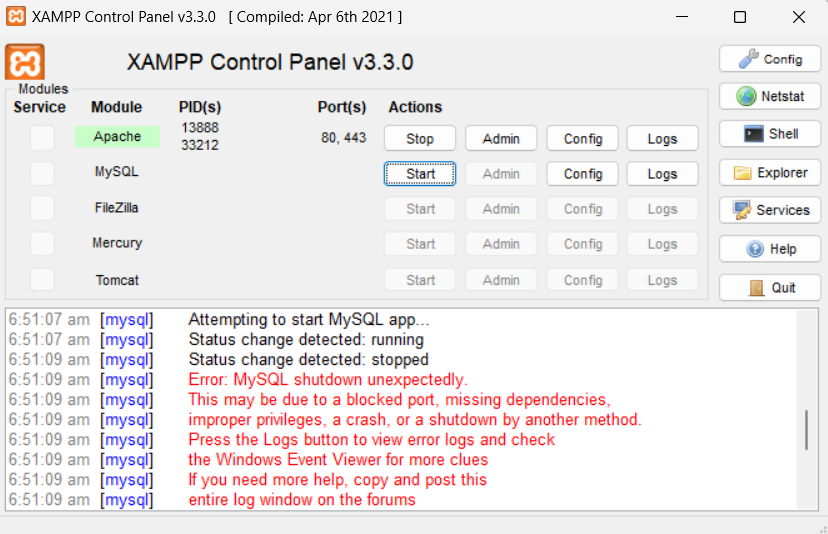 Stack OverflowThe most-viewed Stack Overflow question about this error has been read almost 3 million times.
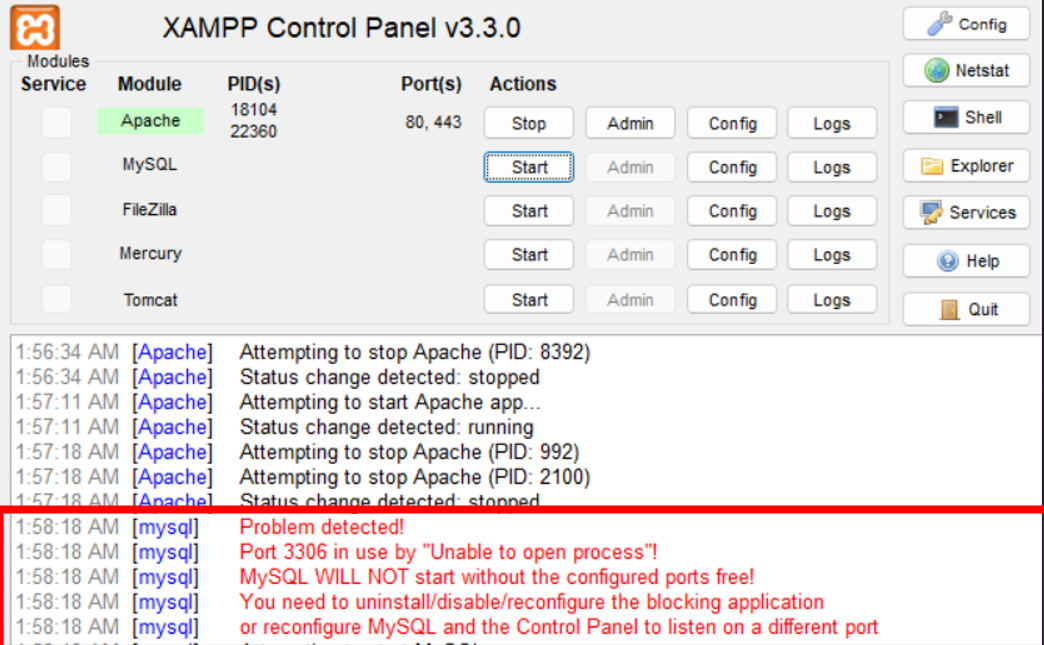 Stack Overflow
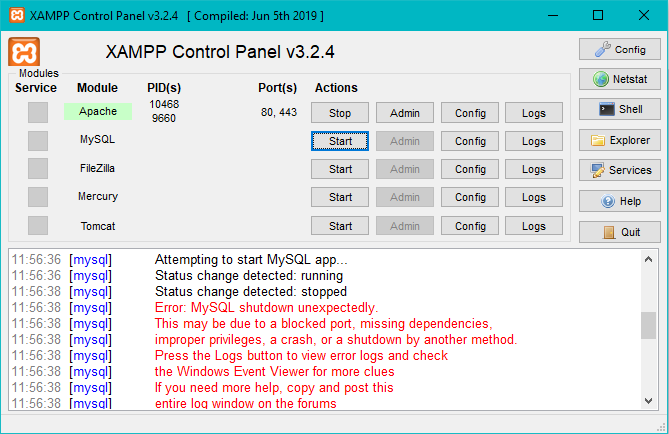 Stack Overflow
Drag the line to compare · XAMPP screenshots: Stack Overflow (Alohe, Thirosh Madhusha, Jay Momaya), CC BY-SA 4.0
Safe by design
Installing a server on your PC should not feel risky. This is how AMPLE keeps it safe.
Each part AMPLE downloads is checked against its official SHA-256 fingerprint before it is used. A file that does not match is never installed.
The padlock certificate AMPLE creates is valid for localhost names only, so it cannot be misused for real websites.
AMPLE installs and runs without admin rights. Choose "Only me" and only your Windows account can open or change its files.
Every email your project sends while you build is caught by Mailpit on your PC. No test email reaches a real person.
Apache, MariaDB, PHP, phpMyAdmin and Mailpit: well-known open-source projects used by millions of developers, downloaded from their official sources.
Our story
AMPLE started as the tool we wanted for our own work. We were tired of old versions and errors nobody explains, so we built a local server that stays current, explains itself, and is free for everyone.
 Made byHimaCode
↗
Download
One file with Apache, PHP, MariaDB and every tool you need. Ready in minutes.
Download for WindowsAMPLE-Setup-1.0.1.exe · 105 MBWindows blocked the installer? Download the ZIP unzip it (right-click → Extract All), then run AMPLE-Setup.exe inside.
macOS Coming soon Linux Coming soon
AMPLE-Setup-1.0.1.exeInside AMPLE 1.0.1
Latest
Every update is checked with SHA-256 before it installs.
All Windows versions
| Version | Downloads | What's new | |
|---|---|---|---|
| 1.0.1Latest | — | Download | |
Important update: Apache now starts even when Windows Smart App Control blocks one of its optional files. | |||
| 1.0.0 | — | Download | |
First release. | |||
Docs & help
A thank-you note
 ToXAMPPApache Friends · since 2002
For more than twenty years, XAMPP was where many of us wrote our first line of PHP. It made running a web server on your own computer something anyone could do, for free. We learned on it, we built on it, and without it there would be no AMPLE. Thank you, sincerely.
But the web does not wait. PHP gets a new version every year, and developers should not wait three years to use it. So we take it from here.
With respect, the AMPLE teamHimaCode
The wait
PHP 8.3 came out on 23 November 2023. XAMPP shipped it on 23 October 2026.
Release dates: SourceForge (XAMPP for Windows) and php.net. XAMPP and its logo belong to Apache Friends.
Help
Found a bug, have an idea, or stuck while installing? A real developer reads every message.
Answer it yourself
AMPLE
We add these lines for you. Fill them in, it helps us answer faster.